
 (561) 430-2616
 01
Open Property Search
Log in to PropertyOnion with an Elite subscription account and navigate to the property search page. Configure the initial search based on the properties you want to export.

Elite Member Guide
Creating an API Link for CRM Integration
Follow these steps in order. The exact layout may vary slightly depending on the current PropertyOnion interface.
Log in to PropertyOnion with an Elite subscription account and navigate to the property search page. Configure the initial search based on the properties you want to export.
Open More Filters and select the required filters to narrow the results, such as property characteristics, location, or auction-related criteria.
Review the results before creating the Export API. Confirm the correct properties are displayed, the selected filters have been applied, and the expected records are present.
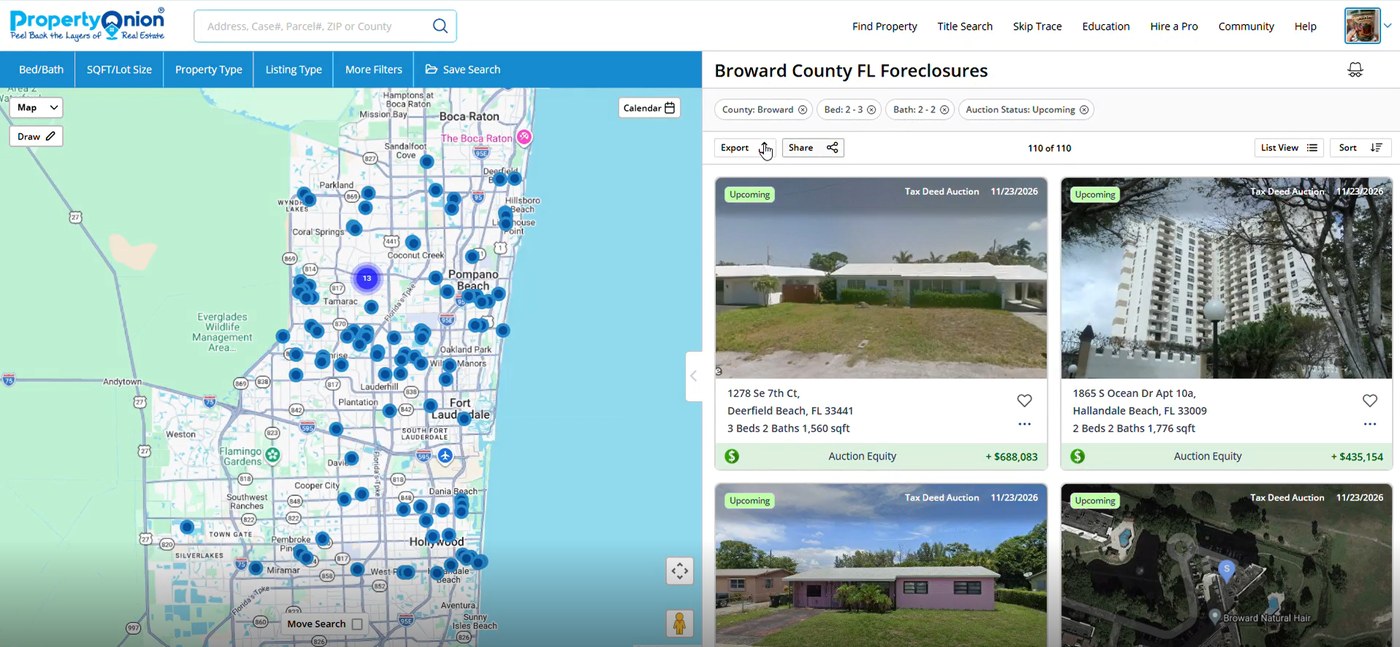
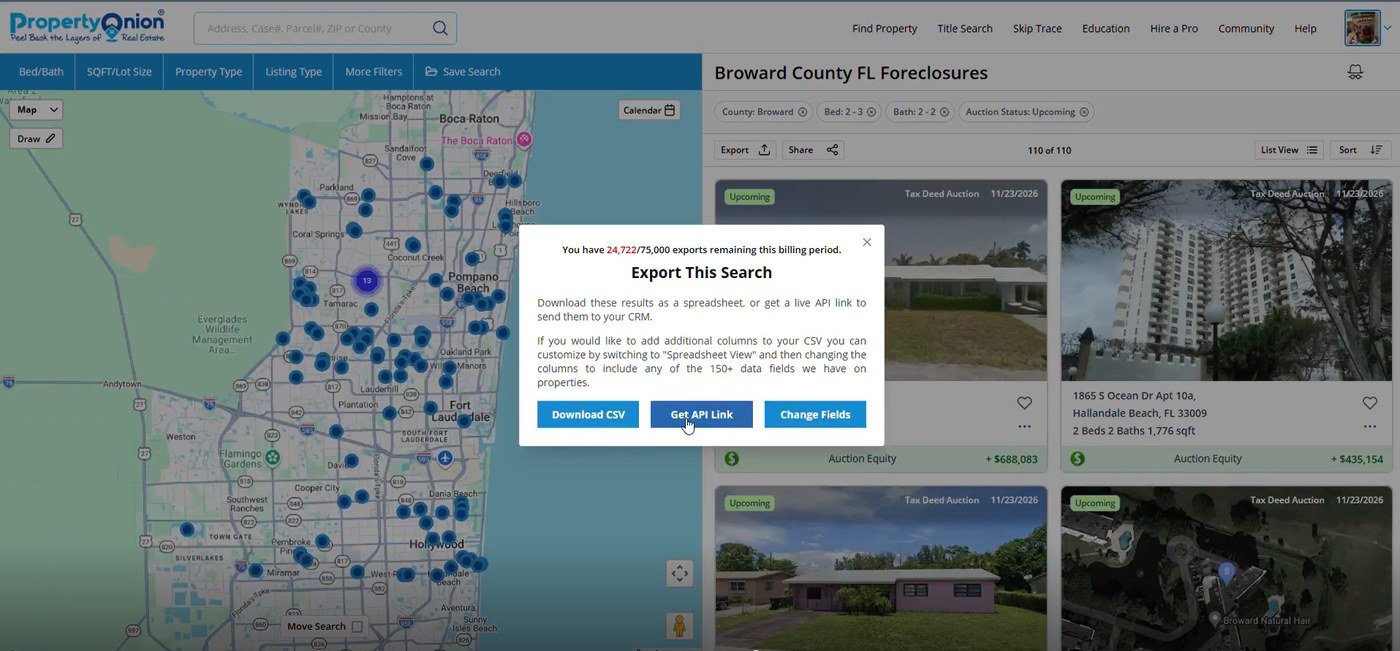
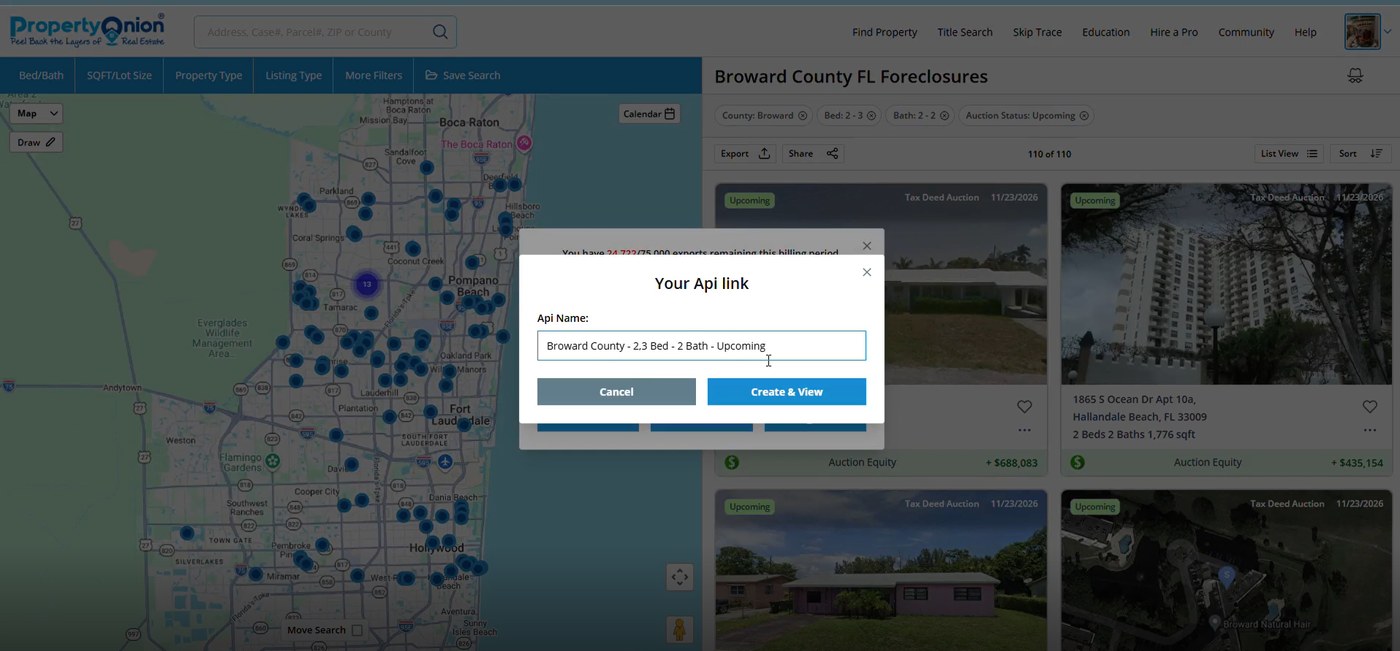
Choose a meaningful name that identifies the export purpose and search criteria.
Example: Broward County - 2.3 Bed - 2 Bath - Upcoming.
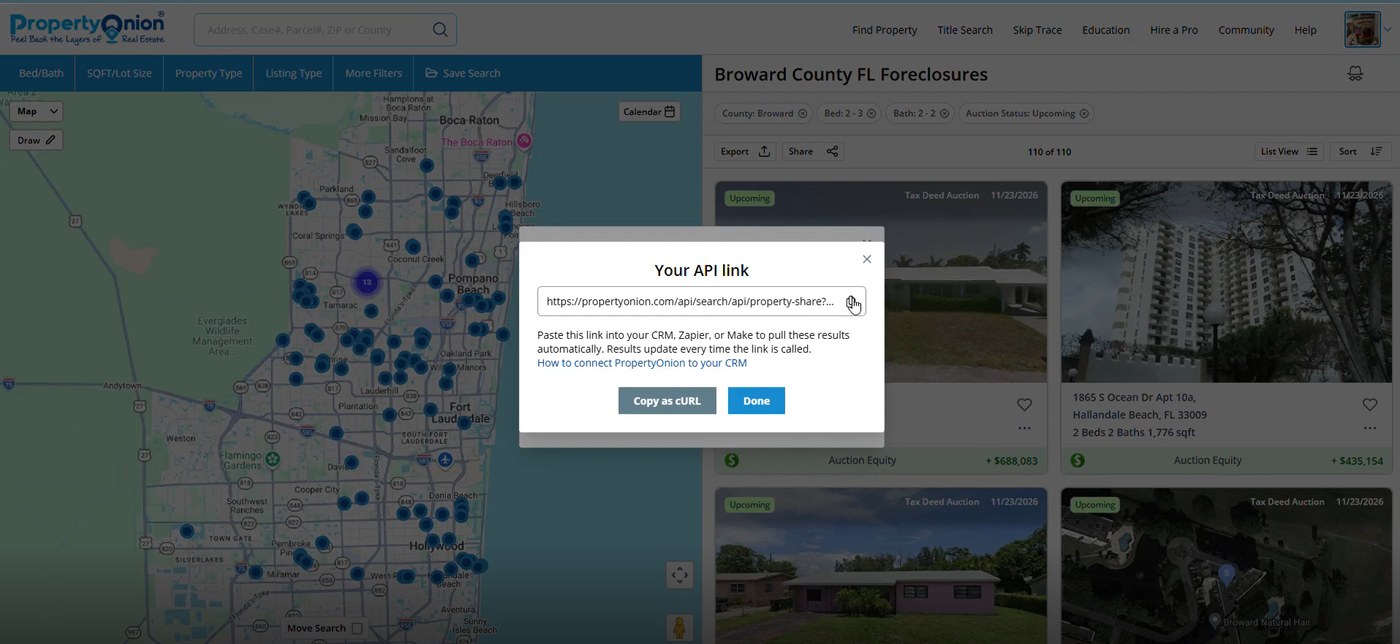
Open the generated API details and copy the API link. Use Copy as cURL, if available, to obtain request details for testing and integration. The URL contains uuid and hashKey values used for authentication or access. Treat them as confidential.
Test the generated request before connecting it to a live CRM workflow.
| Check | What to confirm |
|---|---|
| Request status | The request completes successfully and returns an appropriate HTTP status. |
| Response structure | The response contains the expected property records and fields. |
| Search relevance | Returned properties correspond to the filters selected in PropertyOnion. |
| Credentials | The API link and credentials are stored securely and are not shared publicly. |
After testing successfully in Postman, use the API link and request configuration to evaluate integration with a compatible CRM or automation platform, such as Make.com or HubSpot. The platform sends the request, processes the returned property data, maps relevant fields, and passes the data into the destination system. Exact setup depends on the platform and its API capabilities.
| Step | Action |
|---|---|
| 1–3 | Search, apply More Filters, and verify results. |
| 4–6 | Export → Get API Link → name → Create & View → copy API details. |
| 7 | Import the cURL command into Postman and test the request. |
| 8 | Use the tested request to configure a compatible CRM or automation platform. |